
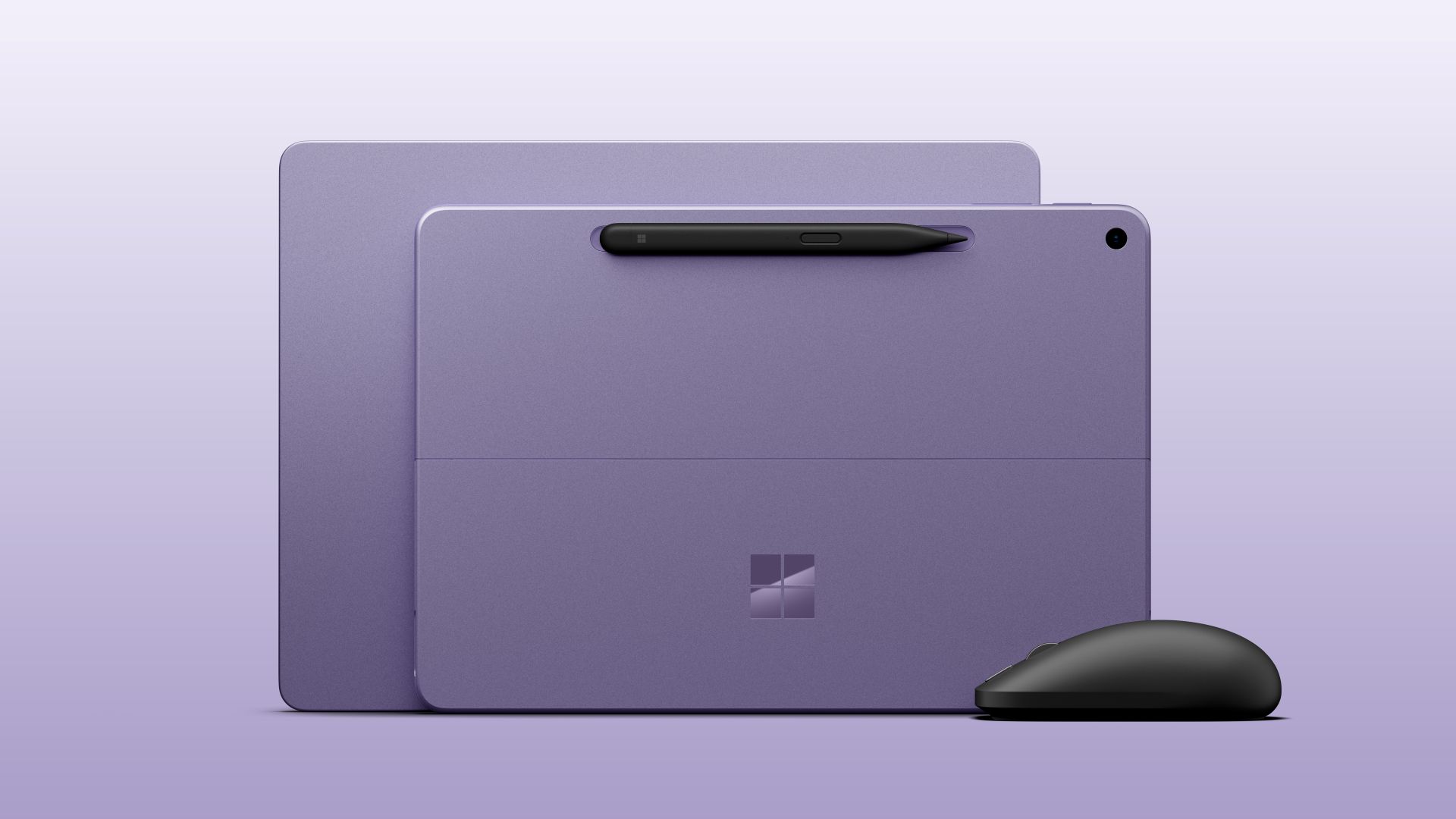
The most interesting part of Microsoft’s latest Surface refresh is not the word “AI.” It is that the company has finally given its smallest mainstream laptop and tablet a newer chip without changing their basic appeal: light, fanless Windows machines for the person who values portability more than brute-force expandability.
The 12-inch Surface Pro and 13-inch Surface Laptop move from the first-generation Snapdragon X Plus to Qualcomm’s Snapdragon X2 Plus, with US availability beginning October 13. Microsoft quotes up to 17% faster Office productivity, more than 60% faster graphics and up to 95% faster local AI inference against their respective predecessors. Those are vendor figures from specific benchmarks, not a promise that every app will feel twice as quick. But paired with 500-nit displays and, for the Pro, an optional 5G model, the refresh gives the compact Surface line a more persuasive practical story.
It also gives it a new pricing problem. The Surface Pro starts at $1,149.99 and the Surface Laptop at $1,199—versus $799 and $899 for their first-edition counterparts at launch, according to Tom’s Hardware. The entry-level machines have ceased to be easy recommendations just because they are the smaller Surfaces.
The change is bigger than a model-number bump
Microsoft’s own tests compare the new machines with the prior 12-inch Pro and 13-inch Laptop running Snapdragon X Plus. The company says it used Procyon Office Productivity for the 17% figure, 3DMark Steel Nomad Lite for graphics, and Procyon AI for the NPU claim. Those details matter: a benchmark result is a directional clue, while sustained work, native app compatibility and battery life still need third-party testing.
| New detail | Why it matters in everyday use | What is still unproven |
|---|---|---|
| Snapdragon X2 Plus | A more modern platform should help the compact machines feel less compromised under ordinary multitasking | How it handles long, heavier workloads and legacy x86 software |
| 500-nit, 25% brighter displays | Better odds of a readable screen in a bright room or on a train | Reflection control, color behaviour and real outdoor comfort |
| Claimed 60%+ graphics improvement | Could make photo work, UI animation and light creative tasks more comfortable | Game performance, drivers and compatibility across the library people actually use |
| Optional 5G on Surface Pro | A genuinely useful option for mobile work that avoids public Wi-Fi and tethering | Market availability, carrier pricing and battery cost of always-on connectivity |
| $1,149.99 / $1,199 starting prices | Moves both products into a more demanding comparison set | Whether the base configurations feel complete once accessories and storage are considered |
The new Pro keeps the trait that makes its category distinct: it can be a small tablet before it becomes a laptop. Microsoft is also introducing Ink Canvas, a pen-first application for sketching, annotations, image generation and text summaries. That will come pre-installed on the new Pro; Microsoft says it will also be downloadable for supported Surface and Windows devices from October 13. As ever, the keyboard and Slim Pen are separate purchases, which is important when comparing the Pro’s headline price with a conventional laptop.
The Laptop is the simpler proposition. It gets the same class of processor, a full-size backlit keyboard, precision touchpad and a 3:2 touchscreen in an aluminum body. Microsoft rates it for up to 22.5 hours of local video playback—an especially conditional test, and not a number to translate into a workday without caution.
The price rise makes the old compromise visible
For years, the small Surface machines have traded ultimate performance and ports for a friendly form factor. That can be sensible: a quiet computer that fits a cramped table or a daily bag is not a lesser computer for everyone. Snapdragon X2 Plus gives Microsoft better grounds to ask for that trade-off.
But the price jump removes a useful safety net. A buyer who once accepted modest memory or storage because the product began well below $1,000 now has reason to scrutinize the configuration, the cost of a Pro keyboard, and the availability of the apps and peripherals they depend on. Tom’s Guide’s brief hands-on reporting calls both machines fanless and finds the improved display and responsiveness promising, but a short preview is not the same as a verdict on heat, endurance or Arm compatibility over months.
That context is also why this is more concrete than an operating-system readiness announcement. Our earlier report on Windows 11 version 26H1 explained that the release is aimed at new hardware such as Snapdragon X2 systems, rather than a feature update most existing PCs will receive. These new Surfaces are the kind of retail hardware that makes that platform work visible—and gives buyers a reason to ask whether its software support is ready for their own routines.
Choose the shape before the silicon
The Pro makes the most sense for people who will actually use its detachable, pen-friendly shape: notes in meetings, drawings, reading, travel and occasional laptop work. The 5G option is a meaningful differentiator for someone who works away from reliable Wi-Fi.
The Laptop is the more straightforward everyday purchase if most of the day is typing, browsing and meetings. Its keyboard is included, and its traditional clamshell stance does not ask the owner to manage an accessory budget. Neither machine should be bought on a benchmark percentage alone. Buyers with niche Windows utilities, games, audio hardware or enterprise tools should confirm Arm support first; emulation may help, but it is not the same thing as a native, well-tested experience.
Bottom line
Microsoft has made its smallest Surfaces more credible computers, not merely more current ones. A brighter display, faster graphics claim and a new Snapdragon platform target the moments where inexpensive compact PCs can feel like a compromise.
Yet the refresh’s central tension is plain: these are now premium-priced compact machines. If independent tests substantiate the battery, performance and compatibility story, the Surface Pro 12-inch and Surface Laptop 13-inch could earn that position. Until then, the right instinct is to value the form factor, verify the software you need, and treat Microsoft’s most dramatic figures as claims awaiting a proper workout.