
The best gadget stories are sometimes about making the wrong device useful for the right job.
That is why Tailscale on a jailbroken Kindle keeps getting under my skin. Nobody needs an e-reader to be a tiny VPN terminal. Nobody sensible would buy a Kindle just to SSH into a server. And yet the idea has a strange practical beauty: a cheap, quiet, low-power screen that can reach your private network without exposing a library server, dashboard or terminal to the public internet.
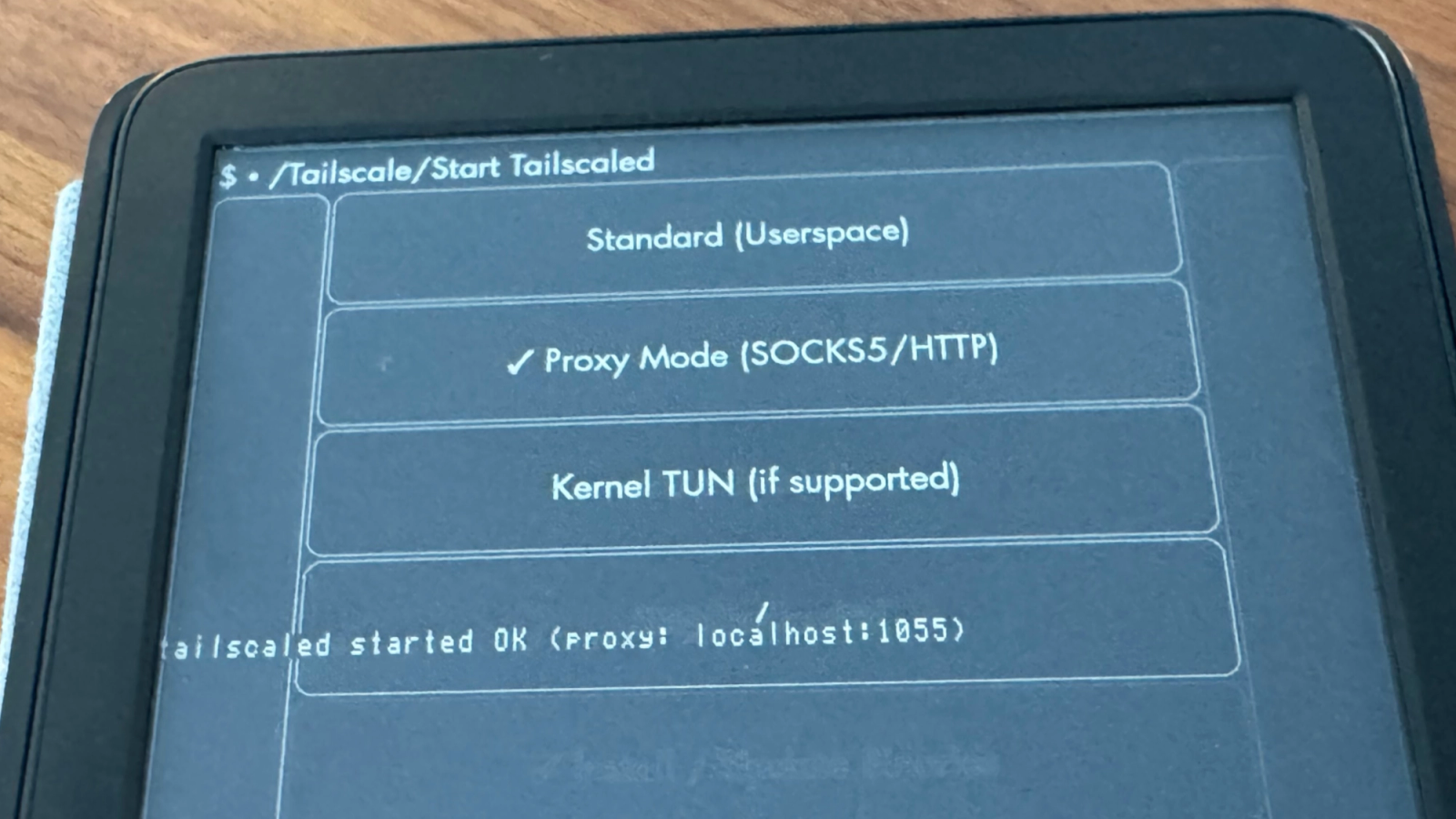
Tailscale’s latest official write-up adds several community-driven improvements to its earlier Kindle experiment. The updated Kindle KUAL implementation now has Tailscale SSH enabled by default, proxy modes for apps such as KOReader, and full TUN mode on some Kindle setups. A separate KOReader plugin also brings Tailscale proxy behavior to KOReader-friendly devices, including Kindle, Kobo and PocketBook targets.
That does not make this mainstream. It makes it better than a stunt.
The proxy mode is the important part
The original Kindle setup could make the e-reader appear on a tailnet. That was clever, but limited. Tailscale explains the problem plainly: a jailbroken Kindle often runs Tailscale in userspace mode, which means ordinary apps on the device do not automatically know how to route traffic to a 100.x.y.z Tailscale address.
The new proxy path gets around that in a practical way. Start Tailscale in proxy mode, point KOReader or another app at localhost, and let the Tailscale daemon route requests to private services elsewhere on the tailnet.
| New Kindle Tailscale mode | What it enables | Reader caveat |
|---|---|---|
| Tailscale SSH | Remote access without relying on older USB networking defaults | Still requires responsible key and access control hygiene. |
| SOCKS5 or HTTP CONNECT proxy | KOReader can reach services such as Calibre, Wallabag or private feeds | Apps must support proxy settings or plugins. |
| Kernel TUN mode | Device-level routing on some Kindles | Not universal; depends on model, firmware and kernel support. |
| KOReader plugin | Cleaner setup for KOReader-centric reading workflows | Community project, not an Amazon-supported feature. |
For a homelab user, this is immediately understandable. Your Calibre or OPDS library can stay at home. Your Wallabag read-it-later stack can stay private. Your e-paper device can fetch from them without opening ports or building a brittle public login page around a hobby server.
That is more interesting than turning a Kindle into a novelty terminal. It turns the Kindle back into a reading device, but one that belongs to your own network instead of only Amazon’s ecosystem.
The charm comes with sharp edges
The caveats are not decorative. Kindle Modding’s own guidance tells users to understand the risks before jailbreaking, including warranty, bricking and security concerns. Tailscale is also careful to frame this as community code running on an unofficial device state.
That is the right level of warning. A Kindle is not a hardened workstation. It is a tightly controlled consumer appliance being asked to do something its vendor did not design, sell or support.
The security trade is also subtle. Tailscale can reduce exposure by keeping services private, but a jailbroken e-reader with extra software is still another endpoint in your trust boundary. If you attach it to the same tailnet as your serious machines, you should treat it like a small computer, not like a book.
| If you try this | Do it like this |
|---|---|
| Use it for private reading services | Keep access scoped to Calibre, Wallabag, RSS or similar low-risk targets. |
| Enable SSH | Use Tailscale SSH and tight ACLs instead of old default credentials. |
| Add auth keys | Prefer reusable setup only where the docs and your threat model justify it. |
| Experiment with TUN mode | Expect device-specific failures and keep recovery steps nearby. |
| Put it on your main tailnet | Consider whether it belongs in a restricted tag or separate network segment. |
This is the part that makes the project appealing to me. It is not pretending old hardware becomes new hardware. It asks a narrower question: what if a device with an excellent screen, long standby life and bad general-purpose computing instincts gets one clean tunnel to the services it actually needs?
E-paper has a second life if the network is solved
KOReader already shows why e-reader hardware can outgrow its factory software. The project supports Kindle, Kobo, PocketBook, Android and Linux, with formats and integrations that go well beyond a store bookshelf. Add a private network path and the e-reader becomes less like a locked appliance and more like a small, patient client.
That matters because most personal computing devices are getting louder. Phones chase notifications. Tablets chase apps. Laptops chase tabs. An e-reader is one of the few screens built around deliberate slowness. The idea of using that screen for a private library, a read-it-later queue, a simple status page or occasional shell access has the kind of restraint modern gadgets often lack.
GearPulse recently wrote about old floppy preservation and file-format control. The Kindle Tailscale project sits near that same instinct: ownership is not only about keeping old media alive. It is about keeping useful devices useful after the default ecosystem stops being enough.
Bottom line
Tailscale on a jailbroken Kindle is not a normal recommendation. For most readers, the correct Kindle remains the boring Kindle that downloads books and sleeps for weeks.
But for self-hosters, e-reader tinkerers and people who like tools with one clear purpose, the updated Tailscale workflow is genuinely compelling. It gives an old e-paper device a private path to your own services, and it does it with enough caveats to keep the romance honest. The Kindle should not become your main terminal. It might become the calmest little window into the systems you already run.