
The most revealing payment features are often the small ones.
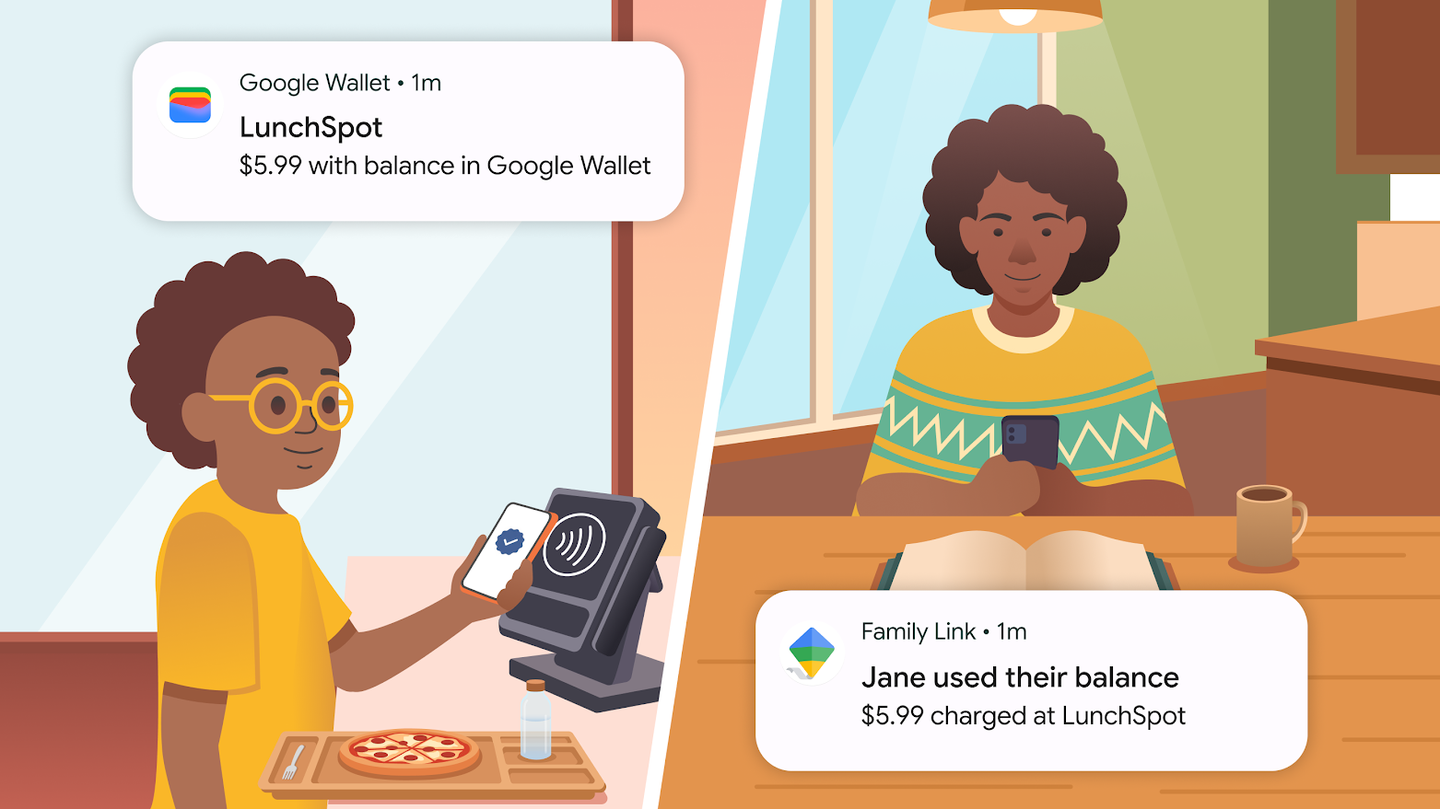
Google Wallet now lets parents in the U.S. set up a supervised balance for children and teens under 18. Kids can tap to pay with Google Pay in stores using NFC-enabled Android phones or Wear OS devices. Parents manage the balance through Family Link, transfer money from their own account, track transactions in real time, set spending limits and lock or unlock access.
That sounds like a tidy back-to-school feature. It is also a sign that childhood money is moving from jars, lunch cash and prepaid cards into platform accounts.
My view: this is useful, but it deserves more attention than a “nice convenience” label. The first wallet a child uses teaches them what money feels like. If that wallet lives inside a phone, the design choices matter.
What Google is adding
Google already expanded Wallet for kids in 2025, giving parents in several countries a supervised way for children to tap to pay and store supported passes. The August 2026 update adds a more direct allowance-style balance in the U.S.
The new setup is aimed at children and teens under 18. Google says parents can add money, monitor spending, apply limits and lock the balance when needed. Google also says scheduled recurring payments are coming, which turns the feature from occasional top-up into digital allowance infrastructure.
| Feature | What it does | Why parents should care |
|---|---|---|
| Supervised balance | Creates a kid-accessible Wallet balance | A child can pay without opening a bank account. |
| Family Link controls | Lets a parent manage activity | Oversight is built into the account relationship. |
| Spending limits | Controls how much can be spent | More useful than simply handing over a card. |
| Real-time transaction view | Shows purchases as they happen | Parents can discuss behavior while it is fresh. |
| Lock or unlock | Stops access when needed | Important if a phone is lost or spending gets messy. |
| Tap-to-pay support | Works on NFC Android and Wear OS devices | Hardware compatibility still matters. |
The product is not trying to replace a teen bank account. It is trying to sit before that step, in the awkward zone where kids need independence but parents still need control.
Why it will be popular
Cash is becoming annoying in exactly the places kids still need small money: school events, snack stops, transit-adjacent errands, after-school meetups and quick store runs.
Parents already use workarounds. They hand over a debit card. They send money through another family member. They keep emergency cash in a backpack and hope it is still there. They buy prepaid cards. None of those are elegant.
Google Wallet’s pitch is simpler: give the child a controlled balance, make it work at normal tap-to-pay terminals and keep the adult in charge of funding and limits.
That is attractive because it matches real family life. Children do not suddenly become financially independent at 18. They practice with small amounts first.
The privacy and habit caveats
The caveat is that digital money is abstract.
A child can feel a five-dollar bill disappear. A tap is smoother, faster and easier to forget. That is convenient for checkout and worse for memory. Parents using this feature should probably treat the transaction feed as a conversation starter, not just a surveillance panel.
There is also the platform question. A supervised Wallet balance is not just a payment tool. It is part of a Google family account system, running through Google devices, Google identity and Google’s rules. Some families will like that because Family Link already manages devices and permissions. Others may prefer a bank-backed teen debit product, a cash-first approach or a prepaid card with fewer ecosystem hooks.
Google’s support pages also make the limitation clear: the balance feature is U.S.-only at launch, and Wallet for kids depends on supervised accounts and compatible devices. An old phone without NFC, a non-Android household or a region outside support will change the answer immediately.
How I would use it
If I were setting this up for a child, I would start small and boring.
| Setup choice | Sensible starting point |
|---|---|
| Balance size | Keep the first balance low enough that mistakes are lessons, not emergencies. |
| Spending limit | Match the limit to a real weekly need, not the maximum Google allows. |
| Notifications | Leave transaction visibility on and review it together. |
| Phone safety | Make sure screen lock, account recovery and lost-device steps are understood. |
| Backup | Keep one non-phone payment fallback for school trips or dead batteries. |
The feature is most useful if it teaches rhythm: top up, spend, check, discuss, adjust. It is less useful if it becomes invisible permission to buy little things forever.
Bottom line
Google Wallet’s supervised balance is a practical answer to a very current family problem: kids increasingly need digital money before they are ready for adult banking.
The best version of this feature gives children controlled independence and gives parents better context than a mystery debit-card charge. The worst version makes spending feel like a tap animation with no friction at all.
So the feature is worth watching because it is not really about Wallet. It is about who teaches children how money works when money no longer looks like money.
Support independent source-backed coverage at buymeacoffee.com/gearpulse.site.