
Google Photos is no longer just where your camera roll goes to sleep.
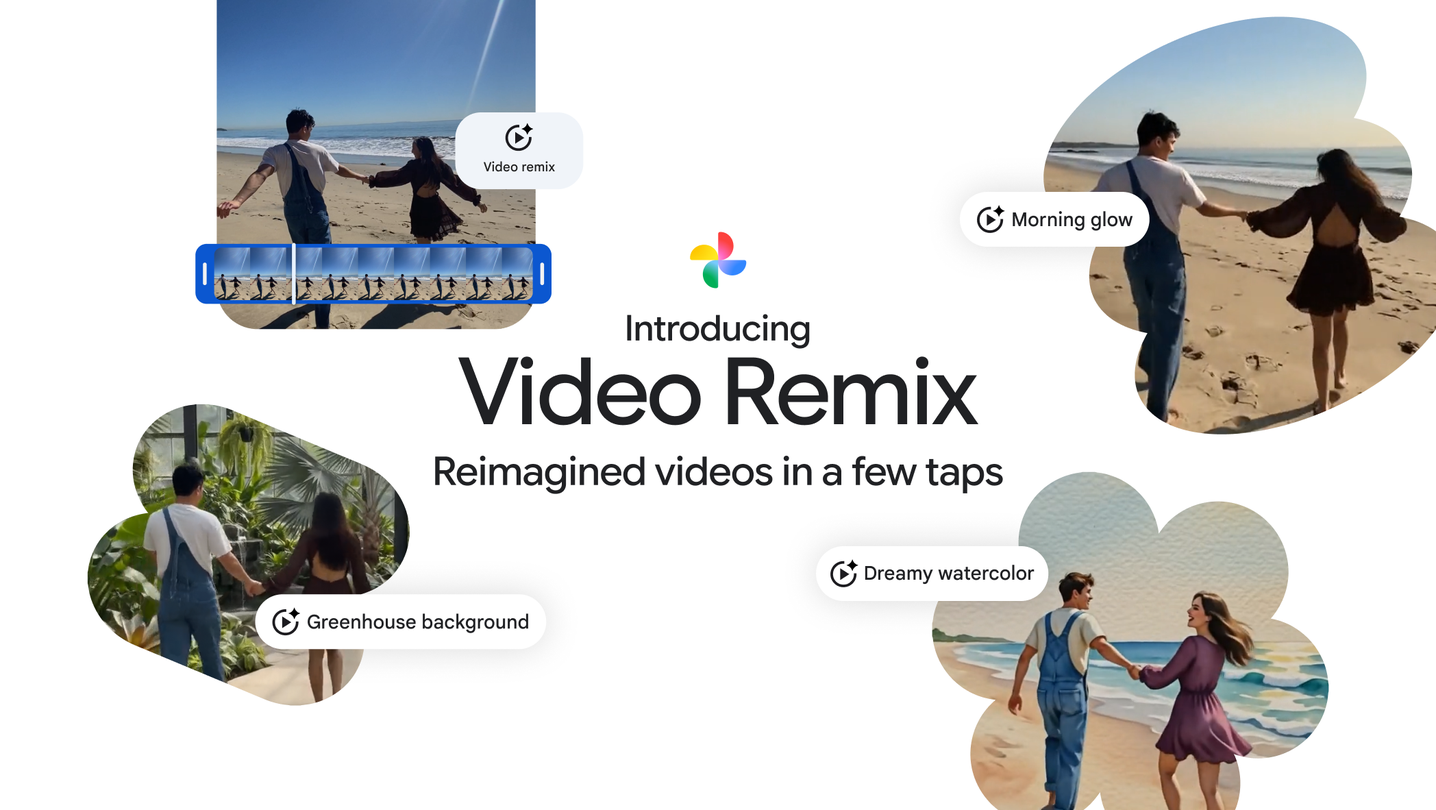
Google announced Video Remix for Google Photos on July 8, pitching it as a way to turn ordinary clips into stylized, shareable videos from templates. The feature is powered by Gemini Omni and is rolling out to eligible Google AI Plus, Pro and Ultra subscribers in select countries.
GearPulse’s view: this is relevant because AI editing is moving from standalone demo apps into the place where normal people already keep family videos, travel clips, pet clips and half-forgotten memories. That makes the feature more useful, but also more consequential. Your photo library is not a toy box. It is personal infrastructure.
What Video Remix does
Google’s pitch is deliberately simple. Open the Create tab in Google Photos, choose Video Remix, pick a template, select a short video, generate the result, then save or share it.
The official help page gives the practical limits. Video Remix is available only to users 18 and older. Videos must be backed up, and Google says the tool works with clips filmed in 9:16 or 16:9, while other aspect ratios may be center-cropped. The selected segment can be between one and ten seconds from a video under 60 seconds long.
| Feature detail | Google’s public guidance | Reader takeaway |
|---|---|---|
| Access | Eligible Google AI Plus, Pro and Ultra subscribers in select countries | This is a paid-AI feature, not a universal Photos tool at launch. |
| Age limit | Video Remix is 18+ | Google is treating generative video as a higher-friction feature. |
| Input clip | Video under 60 seconds; edit a 1-10 second segment | Built for short social edits, not full video projects. |
| Aspect ratios | 9:16 or 16:9 preferred | Vertical and widescreen clips are the safe formats. |
| Effects | Reimagine backgrounds, relight clips, apply art styles | The focus is transformation, not timeline editing. |
TechCrunch and Phandroid both framed the news as Google pushing AI video creation deeper into Photos, not as a replacement for serious editing apps. That distinction is important. Video Remix looks less like Premiere for phones and more like an AI-assisted “make this clip feel postable” button.
Why this matters for normal phone users
Most people do not want to edit video. They want a better result with less effort.
That is why Google Photos is such a powerful place to put this feature. The app already has the raw material: old birthday clips, holiday clips, screenshots, pet videos, school moments, car-spotting clips, concert snippets. A separate AI video app has to convince people to import media. Google Photos can suggest a creation at the moment someone is already browsing.
The useful opinion here is not that AI editing is automatically good. It is that convenience changes creative behavior. When the edit lives beside the original clip, more people will try it.
| Old workflow | Video Remix workflow |
|---|---|
| Find a clip, export it, open another app, pick an effect, render, save back | Pick a Photos template, choose a short segment, generate, save or share |
| Better for precise control | Better for quick stylized output |
| Requires editing confidence | Works for people who avoid video editors |
| Separate app relationship | Tied to Google account, Photos library and AI subscription |
For GearPulse readers, the relevance is practical. If you already pay for Google’s AI tiers and use Photos heavily, this could become the feature that makes a subscription feel more tangible than chatbot access. If you do not, it is another reminder that the best AI conveniences are moving behind account, region and plan gates.
The caveats are worth taking seriously
Generative video is fun until it changes the thing you meant to preserve.
Google’s Help page warns that AI creation features can produce unexpected or inaccurate results, and that feedback may be used to improve them. That is standard language, but the product context matters. When the source is a personal video, a weird output is not just a bad edit. It can distort a memory, a face, a room, a place, or the tone of a moment.
That does not mean people should avoid it. It means people should treat Video Remix as a creative derivative, not as the canonical version of the clip.
| Caveat | Why it matters |
|---|---|
| AI output can be inaccurate | Do not use stylized results as evidence of what happened. |
| Templates can change | A look you used once may not remain available forever. |
| Generations may be limited | Subscription tier and daily limits can shape usage. |
| Cropping can alter framing | Important subjects near the edge may be lost. |
| Personal-library context | Convenience comes with deeper dependence on Google’s account ecosystem. |
There is also a taste problem. AI effects age quickly. A watercolor or anime filter might be charming on a vacation clip today and cringe-inducing next year. The best use cases will probably be casual sharing, not long-term archiving.
The subscription angle is the real story
Google is not just adding a button. It is teaching users that everyday creativity can be an AI subscription benefit.
That is a smarter pitch than asking people to pay only for abstract model access. Many users do not care which model runs behind the scenes. They care whether their phone can make a video better, faster, and with fewer fiddly controls.
But it also raises the bar. If Video Remix is part of a paid AI tier, it cannot feel like a novelty after three uses. It needs templates that remain fresh, generation quality that feels consistent, and enough controls to avoid making everything look like the same algorithmic postcard.
GearPulse’s opinion: the feature becomes compelling if it saves time without taking away authorship. The moment users feel like Google is making the creative decision for them, the magic turns into sameness.
What to watch next
The rollout details matter. Watch country availability, plan eligibility, generation limits, and whether Google expands beyond templates into more direct prompt control. Also watch whether generated clips get clear labeling and whether sharing workflows preserve that context.
The best version of Video Remix is a lightweight creative assistant inside the app people already use. The worst version is another subscription nudge that makes personal media feel trapped behind a feature ladder.
Bottom line
Google Photos Video Remix is relevant because it brings AI video editing into the default camera-roll workflow.
That makes it more approachable than a standalone generative video app, but also more sensitive. A personal photo library deserves tools that are transparent, reversible and clearly labeled.
GearPulse’s read: Video Remix could be the kind of AI feature normal users actually notice. Its long-term value will depend less on demo sparkle and more on whether it respects the original memories while making quick edits genuinely easier.