
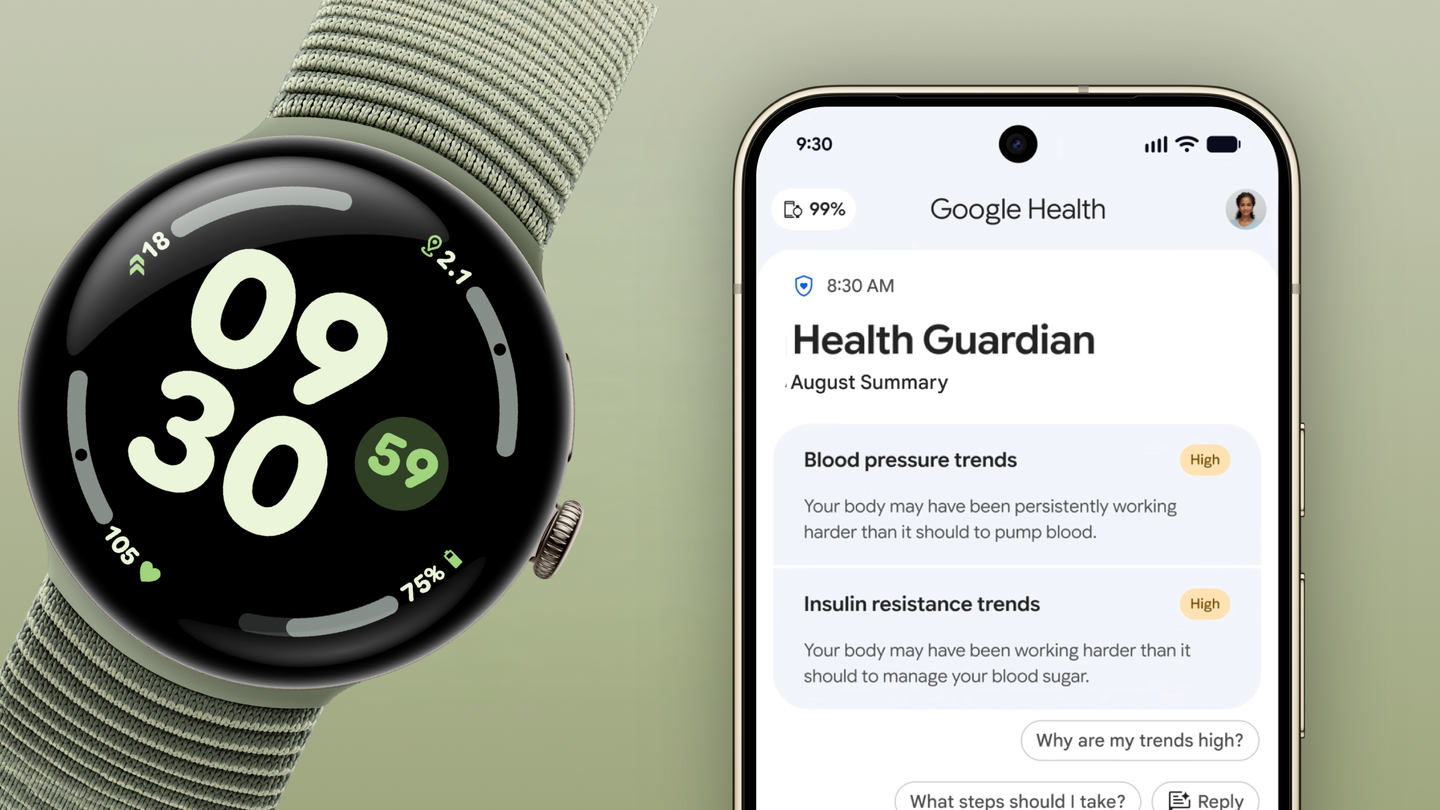
The useful promise of a health wearable is rarely that it can tell you exactly what is wrong. It is that it can make a slow, easily ignored change visible early enough to deserve attention.
That is the more grounded way to read Google’s Health Guardian rollout. Starting this week, Google says Pixel Watch 3, 4 and 5 owners can set up blood-pressure trends, insulin-resistance trends and sleep-breathing-quality metrics in the Google Health app. The first trend reports are due in early October. The features are included with those watches, while Google says Fitbit Air will get blood-pressure and insulin-resistance trends with Google Health Premium later this year.
For people who wear a watch continuously, the important shift is from a stream of isolated scores to a longer view of change. That can be genuinely useful—provided the watch stays in its proper lane.
What is rolling out, and to whom
Google’s announcement calls the package Health Guardian. It builds on the suite the company previewed in August; TechRadar and Tom’s Guide both framed it as part of Google’s broader push to turn recent Pixel and Fitbit hardware into more proactive health devices.
| Tool | Google’s stated purpose | Availability Google has announced | The sensible interpretation |
|---|---|---|---|
| Blood-pressure trends | Track longer-term shifts in blood-pressure-related signals | Pixel Watch 3, 4 and 5; Fitbit Air later with Premium | A signal to pay attention, not a cuff measurement or diagnosis. |
| Insulin-resistance trends | Analyze multi-week physiological data for metabolic changes | Pixel Watch 3, 4 and 5; Fitbit Air later with Premium | Useful only as a trend to discuss with a clinician when appropriate. |
| Sleep-breathing quality | Surface patterns in sleep breathing | Pixel Watch 3, 4 and 5 | A sleep metric cannot rule in or rule out a medical condition. |
The split matters. “Included free” applies to the named Pixel Watches, not necessarily every device carrying a Google or Fitbit badge. Fitbit Air’s announced premium path is also a reminder that this category is becoming an ongoing-service purchase as much as a hardware purchase. Before buying a watch for a specific insight, check the country, account and device requirements—not just the launch headline.
The best use case is pattern recognition
An occasional reading is easy to overinterpret. A sustained departure from someone’s own baseline is often more useful as a prompt to look closer. That is the idea that makes Health Guardian more interesting than another wrist-dashboard refresh.
Google says its insulin-resistance feature looks at multi-week physiological data without a blood sample. That does not mean a watch has replaced laboratory testing. It means the product is trying to translate passive sensor data into a nudge: a reason to revisit habits, log more context, or arrange professional advice.
That distinction is not pedantry. It is the difference between a tool that helps people notice change and a product that invites false certainty. Consumer wearables are very good at being present; clinical conclusions demand a much higher bar.
The same restraint applies to sleep. A watch can make disrupted patterns harder to ignore, especially for someone who would never open a dedicated sleep app. But travel, illness, alcohol, medication, fit, charging habits and ordinary sensor noise can all complicate a nightly result. Treat the report as context, not a verdict.
Why this is a better watch story than an AI story
Wearable launches tend to pile on features until every wrist becomes a speculative health lab. Health Guardian has a more practical potential: it could reduce the effort of remembering whether a change is new, persistent or probably just one unusual week.
That makes it a natural companion to the hardware argument in GearPulse’s Pixel Watch 5 buyer guide. A watch earns its place when it offers useful independence or useful context away from the phone—not when it impersonates a physician.
The unresolved test is product behavior. Are reports easy to understand? Do they explain uncertainty? Can users see what data informed a trend and turn it off without penalty? A thoughtfully designed report should make the next action clearer, whether that is doing nothing, keeping an eye on a pattern, or seeking care. It should not turn a normal fluctuation into an alarm.
The limits are the feature’s real quality test
Google describes Health Guardian as informed by clinical research, and readers should welcome that research rather than treating it as decorative launch language. Still, research support, product availability and individual medical usefulness are different questions.
Do not use a trend feature to self-diagnose, change medication, or delay urgent care. If someone has concerning symptoms or an emergency, the right response is to seek appropriate medical help—not wait for a wearable’s next report. And because these are rolling features, early adopters should expect regional and device constraints to matter more than a launch graphic suggests.
Bottom line
Google Health Guardian is most compelling when it stays modest. It can help an always-worn device spot a change across weeks and make that change hard to dismiss. That is a meaningful consumer-health role.
It is not a blood-pressure cuff, a blood test or a clinical assessment. Pixel Watch owners should regard the rollout as a better early-warning and conversation-starting layer, then judge it by whether its reports are transparent enough to support good decisions rather than anxious ones.