
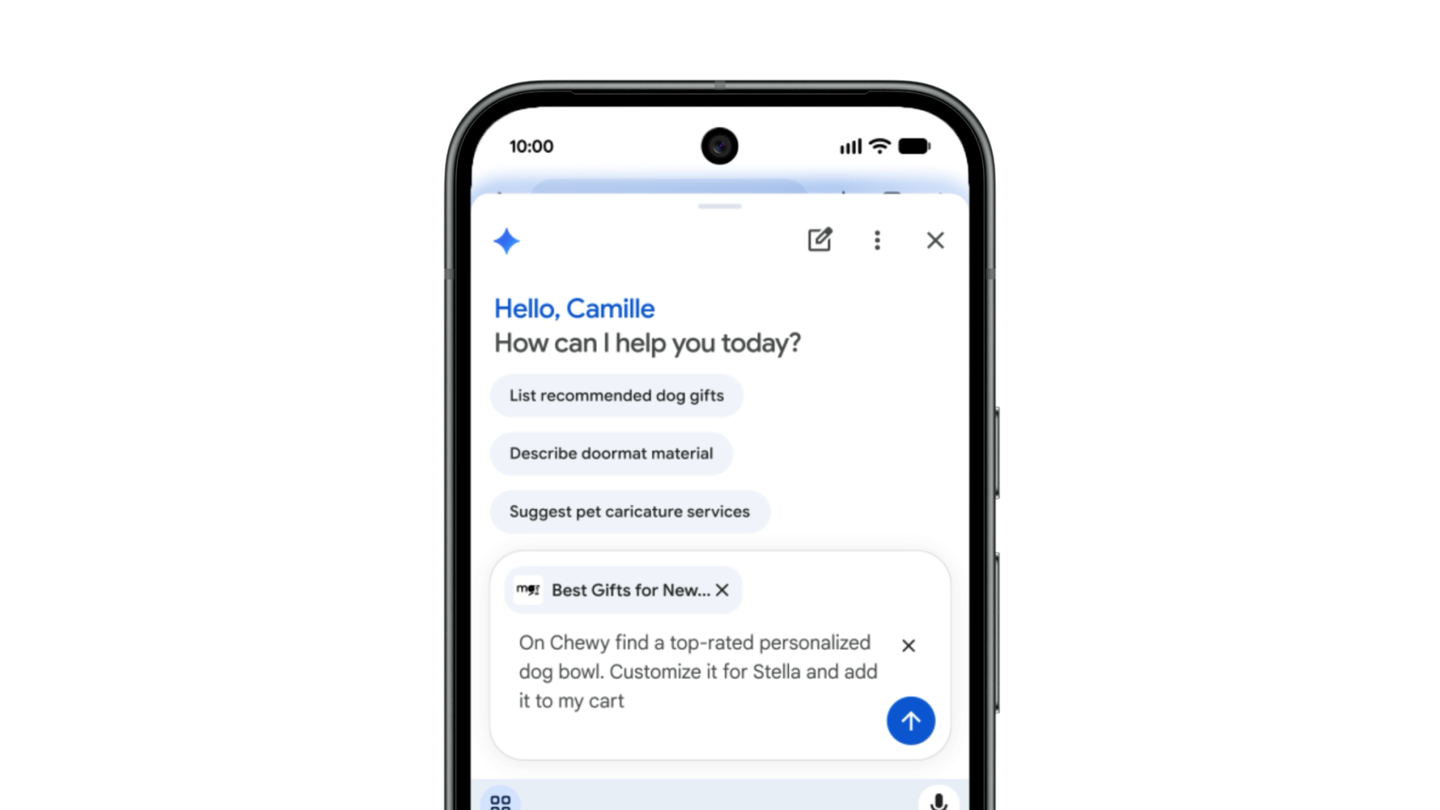
The arrival of Gemini in Chrome for Android is not just another shortcut in a crowded browser menu. It puts an assistant beside the page on the device people use to make reservations, manage recurring orders, fill forms and solve small bits of life while standing in line.
Google says Gemini in Chrome is now available to Android users in the U.S. It can answer questions about the page, summarize longer reading and reach into Google apps such as Calendar and Keep without a tab switch. The larger change sits behind a subscription: Google AI Pro and Ultra members can use Auto Browse, which is designed to work through multi-step web tasks such as reserving parking or changing an order.
That split matters. A page summary is a tool. An agent that moves among sites with the user’s details is a delegated actor. On a phone’s small screen, the difference needs to be unusually obvious.
The rollout is wider; the agent is still deliberately narrow
The broad Gemini-in-Chrome rollout does not mean every Android user gets every capability. Google’s announcement describes the core assistant as available to all U.S. Android users, while Auto Browse is for U.S. AI Pro and AI Ultra subscribers. Droid Life also reported the wider Android availability this week.
Google’s Auto Browse help page layers on practical conditions: a user must be at least 18, be in the U.S., use English, opt in to Gemini in Chrome, sign in to Chrome and grant Auto Browse permission. It also requires Chrome’s Safe Browsing to be set to Standard or Enhanced protection. The feature is not available in Incognito, and availability is still described as gradual.
| Capability | What it can do | The boundary worth remembering |
|---|---|---|
| Gemini in Chrome | Explain or summarize the current page and connect to supported Google apps | It is assistance around the page, not proof that the result is correct. |
| Auto Browse | Carry out multi-step web tasks after the user reviews and starts a plan | It may choose sites and share relevant personal information with them. |
| Sensitive-action confirmation | Pauses before actions Google treats as sensitive, including purchases or social posting | A confirmation prompt is a checkpoint, not an audit of every prior step. |
| Take over task | Lets the user reclaim the task tab while the agent is working | Use it when a site, price, address or form field needs human judgment. |
Android Central and Tom’s Guide covered the feature when Google announced its mobile expansion in May, including the parking-reservation and order-update examples. Those are sensible first jobs because they are repetitive. They are also good reminders of where the risk starts: a task that is boring for a person can still have a real-world consequence when it reaches the wrong merchant, date or address.
A plan screen is the right idea, but it cannot be ceremonial
Before Auto Browse begins, Google says users are shown a plan to review. The guidance specifically asks them to check that the prompt, page context and personal information are understood correctly. That is the correct model for agentic browsing: make the intended action legible before the software enters a string of websites.
But a plan is only useful if people can read it without translating a cloud of agent language into a transaction. “Find parking near my event” needs to surface the event, time, price ceiling, payment method and cancellation terms in plain view. “Update my order” should make the old item, replacement, quantity and delivery schedule unmistakable.
This is not an argument against automation. Mobile browsers are where administrative friction accumulates. A well-designed assistant can save taps without taking ownership away from the person with the account. GearPulse made a related point when Gemini in Chrome reached UK desktop users: convenience becomes meaningful only when the line between help and action stays bright.
Three checks before you hand a task to the browser
| Check | Why it matters on a phone |
|---|---|
| Read the proposed plan, including the sites it will use | Auto Browse can work across sites even when their related apps are not connected to Gemini. |
| Confirm personal details and the final commercial terms yourself | A convenient task can still expose an address, booking preference or payment-related choice. |
| Take over rather than letting an ambiguous task continue | A small screen makes it easier to miss a changed date, a substituted item or a non-refundable option. |
The same discipline applies to outputs that look harmless. A summary can omit a qualification; a comparison can quietly favor the data it can parse; a booking flow can inherit a bad assumption from the initial prompt. Google says it has trained its systems to detect known threats such as prompt injection, but that is a safeguard against a class of attacks, not a reason to stop checking what a browser agent is being asked to do.
Why this is a more serious mobile shift than another AI button
Desktop browser assistants have room to show a sidebar, several tabs and a generous confirmation dialog. Android has less room and more personal context. The same phone holds messages, tickets, location history and account sessions; it is also the device people use while distracted.
That combination makes restraint a product feature. The good version of Auto Browse handles a task whose outcome is easy to inspect, exposes its plan, stops at meaningful decisions and gives the user a clean way to take over. The bad version will be the one that turns confirmation into a familiar tap and makes a multi-site action feel like a chat reply.
Google’s current requirements—and the fact that Auto Browse remains an opt-in paid capability—give the company room to keep that standard high. It should use that room. The goal is not to make a browser look autonomous; it is to make ordinary web administration less exhausting without making the user less accountable.
Bottom line
Gemini in Chrome is now a real part of the Android browsing experience in the U.S., not just a desktop preview. For reading, researching and asking a quick question about a page, it may be a useful convenience.
Auto Browse is the feature to approach with more care. Let it take the repetitive first pass, but treat the plan, the sites it chooses and every consequential confirmation as part of the task—not as fine print. On a phone, trustworthy automation should make decisions easier to see, not easier to miss.