
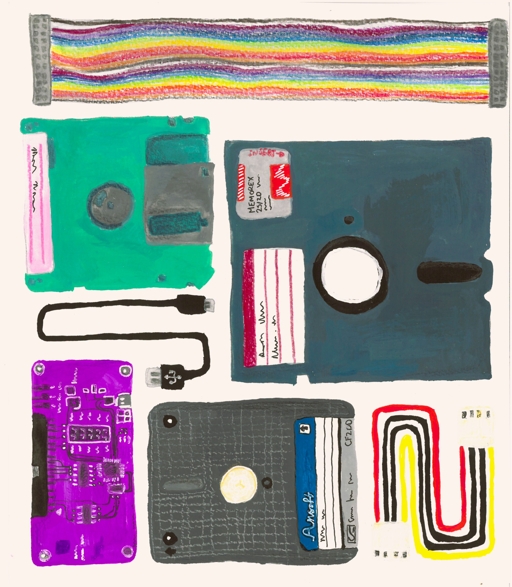
The strangest thing about old floppy disks is not that they are obsolete. It is that many of them still contain data people care about, while the knowledge needed to read them is disappearing.
That is why Copy That Floppy is more than a retro-computing curiosity. The guide, published through DigiPres and developed from the Future Nostalgia project led by Cambridge University Library with support from the Digital Preservation Coalition, gives practitioners a starting workflow for imaging floppy disks for long-term preservation.
GearPulse’s view: this is relevant because digital memory does not preserve itself. Family files, early research drafts, old software, institutional records and creative work can all sit on fragile media until the disk, the drive or the expertise fails.
What the guide covers
Copy That Floppy is not a simple “plug in a USB drive and hope” tutorial. It focuses on creating disk images from 8-inch, 5.25-inch, 3.5-inch and 3-inch floppy disks for preservation, not on writing disks or casually browsing files.
The guide is careful about scope. It assumes some comfort with write blockers, different operating systems, command-line tools and specialist hardware. It also explains that the hardware and software around floppy controllers changes quickly, so the guide is intended as a basis for a workflow rather than a frozen recipe.
| Area | What the guide emphasizes | Why it matters |
|---|---|---|
| Carrier identification | Work out what disk type and format you have | The wrong drive or assumptions can damage media or miss data. |
| Hardware acquisition | Match drives, controllers and tools to the carrier | Old disks are not one standard problem. |
| Cleaning and handling | Check for dirt, mold and damaged media | Bad handling can turn a recoverable disk into a failed disk. |
| Imaging | Create preservation-focused disk images | Capturing the disk is different from just opening a file. |
| Next steps | Use further tools and community resources | Reading the bits is only part of accessing the content. |
Cambridge University Library’s related project page explains the urgency well. Floppy disks use magnetic coatings that degrade over time, and the project exists partly because professional knowledge around these formats is thinning as old hardware and experienced operators disappear.
This is about more than nostalgia
It is easy to laugh at floppy disks because they feel tiny by modern standards. A phone photo can be larger than an entire disk. But storage capacity is not the measure of historical value.
Cambridge’s earlier funding story says its own collections include around 150 floppy disks, with discoveries connected to Stephen Hawking’s personal files and material from poet Nicholas Moore. That is the point: important data often survives in ordinary containers.
For readers, the lesson applies well beyond universities. If you have old disks in a drawer, the contents may be boring, precious or unreadable. The problem is that you may not know which until someone with the right tools inspects them.
GearPulse’s opinion: this is the right kind of retro tech story because it treats old media as infrastructure, not decoration. The value is not the beige plastic. The value is the human record inside it.
Why ordinary USB floppy drives are not enough
Cheap USB floppy drives can be useful for simple 3.5-inch PC disks, but preservation work is more demanding. Many disks are not standard PC formats. Some are damaged. Some come from machines with unusual encoding, sector layouts or operating systems. Some need flux-level capture, where the raw magnetic transitions are recorded so software can interpret the structure later.
That is why preservation teams and retro-computing experts often use specialist tools such as Greaseweazle or KryoFlux-style workflows. The goal is to preserve the disk as evidence, not merely copy a file if the first mount happens to work.
| Consumer instinct | Preservation instinct |
|---|---|
| Try the nearest drive | Identify the disk and format first. |
| Mount it like a normal volume | Avoid unnecessary writes and risky handling. |
| Copy visible files | Image the carrier for repeatable analysis. |
| Toss unreadable disks | Check whether specialist tools can recover weak or unusual media. |
| Trust one attempt | Document the process and preserve context. |
This is also why the Cambridge public workshop, Copy that Floppy Cafe, had limits. The page said experts would attempt one disk per person, required booking and noted that damaged, dirty or moldy disks could not be handled. That is not bureaucracy. It is risk management.
The hidden problem is expertise
Digital preservation often sounds like a storage problem. Buy a bigger drive, make a backup, upload to cloud storage. For old removable media, the deeper problem is interpretation.
A disk can be physically present and logically inaccessible. The drive may be rare. The file system may be obscure. The application format may be abandoned. The disk might image successfully while the documents remain locked in a format nobody uses. Preservation is a chain, and every link can fail.
The Digital Preservation Coalition’s Copy That Floppy LIVE event made that practical. It described a workshop covering how to identify floppy disk types, assemble a workstation, clean and test drives, understand the copying process and deal with problems afterward.
That community layer matters. No single guide can cover every disk, every machine and every failure mode. The useful thing is a shared workflow that lets libraries, museums, hobbyists and archives compare notes without reinventing the basics every time.
What you should do with old disks
Do not rush to force them into the first drive you find.
Start by separating obviously damaged, moldy or dirty disks from cleaner examples. Photograph labels and sleeves before changing anything. Keep notes about where the disks came from and what machine may have used them. If the data matters, look for a digital preservation lab, archive, retro-computing group or specialist before experimenting.
If the disks are ordinary and low-stakes, a careful home attempt might be reasonable. If they contain family records, old research, legal files, unpublished creative work or institutional material, treat them more like fragile originals.
| If the disk contains… | Best first move |
|---|---|
| Family photos or documents | Preserve labels and seek careful imaging help. |
| Research or institutional files | Contact an archive or digital preservation team. |
| Old software or source code | Document context and avoid modifying the disk. |
| Unknown personal data | Consider privacy before handing it to anyone. |
| Mold or physical damage | Do not insert it into a drive without specialist advice. |
The privacy caveat is real. Cambridge’s event page warned that experts may see personal data while copying. Old media can hold tax records, correspondence, medical files, passwords or other material that felt forgotten only because the hardware vanished.
Bottom line
Copy That Floppy is relevant because it makes old-media recovery look like practical preservation work rather than nostalgic tinkering. The guide does not pretend floppy disks are easy. It shows why they require identification, handling, imaging discipline and community knowledge.
The broader lesson is bigger than floppy disks. Digital culture is full of formats that feel permanent until the reader, drive, app or expert disappears.
GearPulse’s read: if you have old disks, the smart move is not panic and not blind optimism. Treat them as fragile records. The files may be trivial. They may also be the only remaining copy of something that matters.