
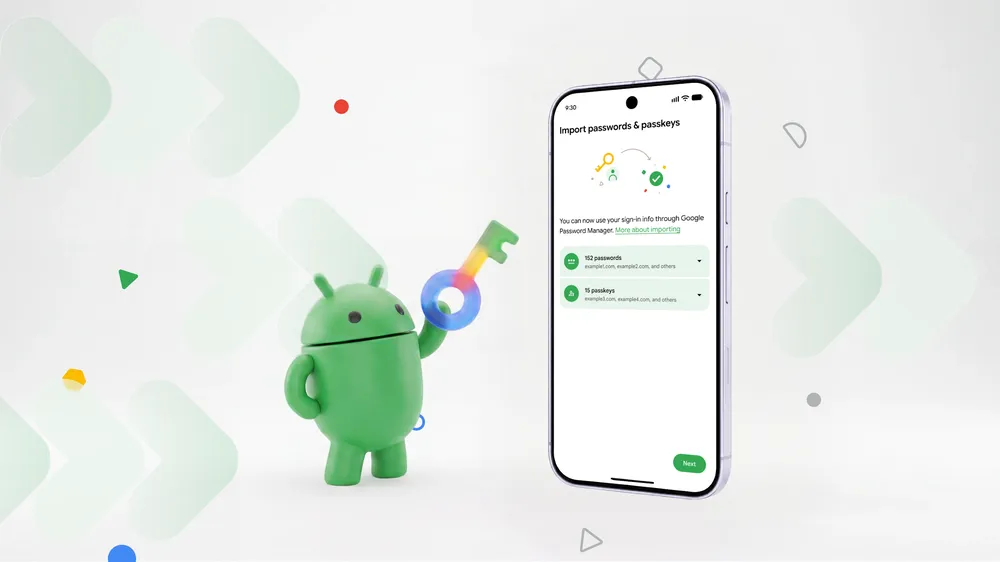
Changing password managers has long had a ridiculous failure mode: put your most sensitive data into a CSV file, move it around, then hope you remembered to destroy every copy. Passkeys made the lock-in worse, because they were often not movable at all. Android’s new credential-transfer experience is meaningful precisely because it tackles both problems without asking people to become file custodians.
Google says the system is available now in Google Password Manager, 1Password, Bitwarden Password Manager and Dashlane on Android 8 and later. The move begins in the destination app: choose its import or copy option, select the existing provider Android detects, review the request there, and authorize it. Android then coordinates a same-device handoff rather than asking the user to save a plaintext vault export.
That is not a reason to switch managers on a whim. It is, however, a much better reason to choose the manager that suits your devices, recovery habits and privacy expectations instead of staying put because leaving is dangerous or tedious.
The important change is passkeys, not just fewer taps
Passwords have always had a crude escape hatch. A CSV export is inconvenient and risky, but it exists. Passkeys are different: their security depends on private key material held by a credential provider, and the old migration path frequently meant making every passkey again site by site.
Android’s Credential Transfer APIs support same-device transfers for passwords and passkeys using the FIDO Credential Exchange Format (CXF). The Android documentation says the framework transfers data peer-to-peer between credential providers without exposing raw credentials to Android itself or unauthenticated apps. That distinction matters: this is not merely a prettier import wizard layered over a file download.
| What changes | What it means in practice | What it does not mean |
|---|---|---|
| Password transfer | A compatible destination manager can request credentials from an installed source manager. | Every manager or every platform is supported today. |
| Passkey transfer | You no longer necessarily need to recreate supported passkeys after changing providers. | A passkey is suddenly interchangeable across every phone, browser and service. |
| Android-coordinated handoff | The user is shown the providers and must approve the transfer. | The move happens silently or without an identity check. |
| Android 8+ support | The feature reaches a very large existing Android base without a new OS release. | An old or unsupported password-manager app will automatically gain the feature. |
TechCrunch and Ars Technica independently report the same initial partner list and Android 8 baseline. Ars also notes the practical boundary: support is still limited, and a manager that has not implemented the API may leave users with its usual manual-import method. “More partners to follow” is a promise, not a compatibility list.
A migration should still be treated like a security task
The new design removes a risky intermediate file; it does not eliminate the need for care. A password vault is a single point of failure in the useful sense—it contains the keys to many other accounts. The sensible approach is deliberately boring:
- Update both password-manager apps before starting, and make sure the destination is genuinely the app you mean to use for autofill.
- Start from the destination manager, as Google’s flow instructs, then read the provider and account details Android shows before authorizing.
- Keep the source vault intact until you have opened the destination on another device, checked a handful of important passwords, and tested several passkeys.
- Verify recovery options, a strong unique account password and two-factor authentication before removing anything from the old provider.
That last point deserves more attention than it gets. A successful transfer is not the same as a sensible recovery plan. The person who switches to a new manager but cannot regain access after losing a phone has merely traded one kind of friction for another.
This makes the password-manager market healthier
The best part of Google’s move is that it gives users an exit. Google Password Manager benefits from deep Android integration, while 1Password, Bitwarden and Dashlane each make different trade-offs around platforms, features, pricing and account setup. A system-level transfer path does not settle those choices, and GearPulse is not making a blanket “best manager” call here. It makes the choice more honest.
That is especially welcome as passkeys become normal. A security technology that cannot follow its owner between trusted tools can become a form of platform lock-in, even when nobody intended it that way. Standardizing the transfer process gives people a practical way to change their mind.
The principle also fits the broader privacy question around credential management. In our look at Google’s selfie-based sign-in, the useful feature came with a reminder that account recovery deserves unusually high scrutiny. Moving a vault calls for the same mindset: convenience is welcome, but confirmation and recovery matter more.
Bottom line
Android’s new transfer flow is one of those rare security changes that is also easier to understand: it replaces a fragile, plaintext-file ritual with an approved handoff between compatible apps, and it finally includes passkeys. That makes it easier to leave a manager for a good reason—better device support, a better recovery setup or a different privacy preference—without treating a vault migration as a weekend project.
Use it when the manager you want supports it, keep the old vault until you have verified the new one, and do not mistake the new convenience for a substitute for backup and recovery discipline. Portability is the win; care is still the price of entry.